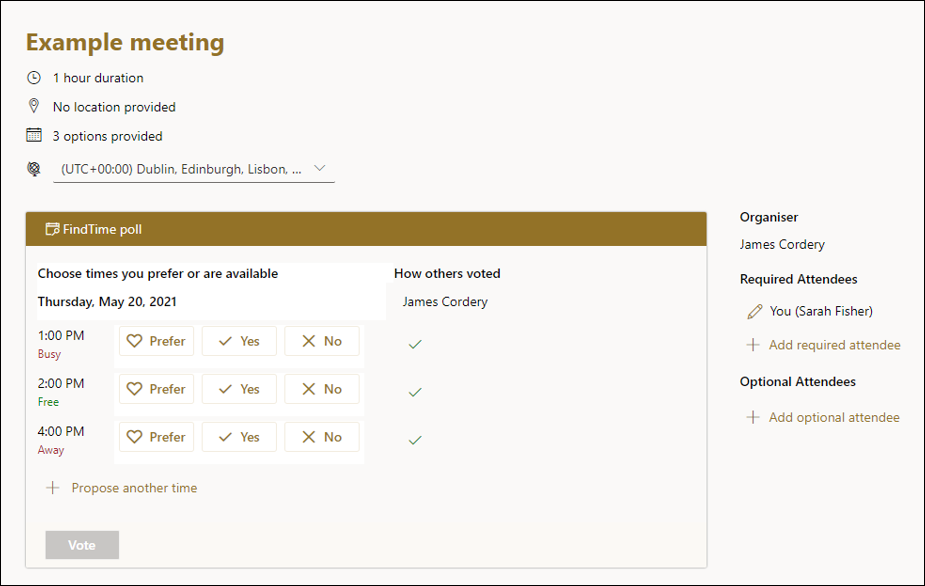
FindTime is an Outlook add-in for arranging meetings. As a meeting organiser you can send multiple time options through FindTime. Use this instead of free Doodle Polls as it allows syncing with your Outlook calendar – something free Doodle does not.
What it does
- Makes it easy to see the most available slots in everyone’s calendar
- Invites your attendees to vote on their preferred slot
- Sends everyone a final meeting invite once a consensus has been reached
How to install FindTime for Outlook on your PC
You need to have Outlook 2016 or Outlook 365 to use it.
- Open Outlook
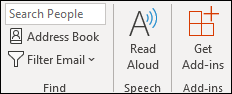
- Go to Home > Get Add-ins
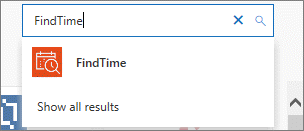
- Search for the FindTime add-in
- Select Add
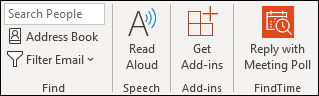
- The FindTime Reply with Meeting Poll should have appeared in the Home tab. It’s now ready to use.
Start using FindTime
Next time you want to schedule a meeting:
- Open your calendar and click a timeslot to set up a new meeting, and add the attendees you want to invite
- Click New Meeting Poll from the top menu (to the right)
- A panel will open up on the right to show you your availability and theirs on the day you’re considering for the meeting
- You can move the calendar dates along and choose multiple options when you all appear to be free
When your attendees see the invite, they’ll see a list with the times and dates you’ve proposed. They can choose the following for each slot:
- Prefer
- Yes
- No
They can also see the availability of other invitees, alongside their own response.